










closeX
Log In
  1. Remember me on this computer

Forgot your password?

NOT A MEMBER YET?
Join us (it’s free!) and you’ll get instant access to our friendly community of decorators and DIYers like you.

Member benefits:

  • Comment on projects and slideshows
  • Sign up for free DIY newsletters
  • Coming soon: Save and organize your favorite projects
  • And more!
Join Us Today
  • Finished Desk
  • Laptop Desk Diagram
  • Step 2: Cut a Recess for the Cable
  • Step 3: Cut the Angled Edges
  • Step 4: Assemble the Desktop
  • Step 6: Attach the Legs
  • Step 6: Plug the Screw Holes
  • Step 6: Plug the Screw Holes
  • Painting the Desk
  • Finished Desk
00 0
[+]
  • Finished Desk
  • Laptop Desk Diagram
  • Step 2: Cut a Recess for the Cable
  • Step 3: Cut the Angled Edges
  • Step 4: Assemble the Desktop
  • Step 6: Attach the Legs
  • Step 6: Plug the Screw Holes
  • Step 6: Plug the Screw Holes
  • Painting the Desk
  • Finished Desk
00

Produced by Darryl Chapman

Intro

The design of a computer work table is critical to the comfort of the user, it must be ergonomic and a comfortable height from the ground.

A home laptop desk should ideally be between 26-in. and 30-in. high, and if housing a desktop computer the keyboard and mouse should be between 2 1/2-in. and 4-in. below the monitor for comfortable use.

Step 1: Cut the Pieces

Use laminated pine for the top, and pine for the risers and legs. Use a circular saw with a straightedge guide to cut the panels or have the supplier cut the parts ready for assembly, cutting the top with the grain running front to back. The edges of the shelf, desktop and legs are cut at 15° using a circular saw and compound miter saw.

Laptop Desk Diagram[+]

Step 2: Cut a Recess for the Cable

Along the back edge of the desktop, 4-in. from the sides, mark a line 5/8-in. from the back edge, using a coin as a template to mark the curved ends, cutting using a jigsaw fitted with a scroll blade.

Step 2: Cut a Recess for the CableSue Ferris[+]

Step 3: Cut the Angled Edges

Set up a compound miter saw and a circular saw to make 15° cuts, using an offcut to test the cutting angles. Use the compound miter saw to cut the top and base of the legs and the front of the risers, and the circular saw to cut the front edge of the shelf.

Step 3: Cut the Angled EdgesSue Ferris[+]

Step 4: Assemble the Desktop

Position and clamp the risers to the desktop and shelf, aligning the angled cuts. Drill pilot holes and dry-assemble using #8 x 1-1/2-in. wood screws, check the desktop is square then disassemble, apply adhesive and secure with screws.

Step 4: Assemble the DesktopSue Ferris[+]

Step 5: Attach the Legs

Clamp the legs onto the desktop and rest the desk against a wall to test that the feet are flush to the floor. Drill pilot holes to attach the legs at the top with four #8 x 1-1/4-in. wood screws each side.

Step 6: Attach the LegsSue Ferris[+]

Step 6: Plug the Screw Holes

If you plan to paint or stain the desk, use a plug cutter fitted with a drill to bore wood plugs to cover the screw heads. Apply adhesive to the screw holes and tap in a plug using a hammer, aligning it with the wood grain for a neat finish.

Step 6: Plug the Screw HolesSue Ferris[+]

Step 7: Finish the Desk

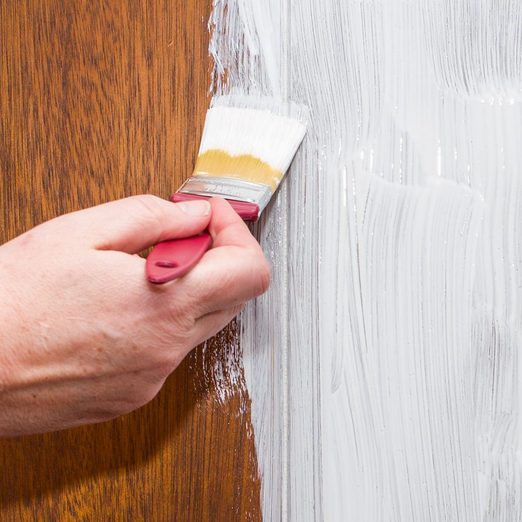
Smooth all over with 120-grit sandpaper then apply a coat of primer, smoothing lightly with abrasive paper when dry. Apply two coats of hard-wearing enamel, using a mini paint roller to reach corners or tight spots, leaving to dry.

Painting the DeskSue Ferris[+]
Finished DeskSue Ferris[+]
closeX

Add a Comment For:

How to Build a Mini Laptop Desk

Here’s what I think:
closeX

Add a Reply For:

How to Build a Mini Laptop Desk

Here’s what I think:

You Might Also Like

More
Hello Stranger!   Log in or Join us
Advertise with us Advertisement
Family Handyman